
Multi-assetStocks · ETFs · Crypto · Cash · Property
Built for people who manage their own wealth
Your entire wealth. One clear picture.
See investments, savings, crypto and property together in one clear net worth picture. Track your progress and make more informed financial decisions.
Free plan availableNo credit card requiredNo brokerage connection required to get started.
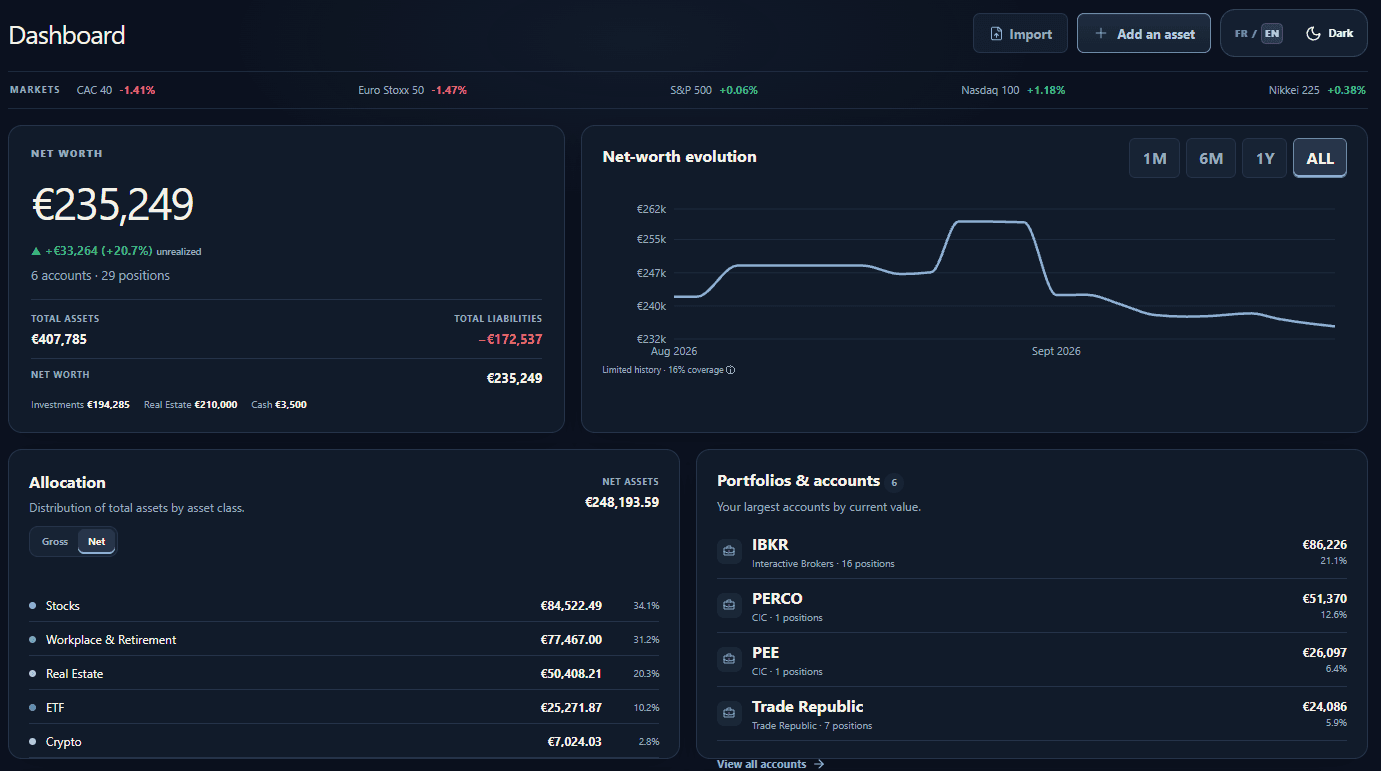
Multi-currencyEUR · USD · GBP · CHF and more
Market pricesDaily refresh on eligible plans
Accounts & workspacesOrganize wealth across financial accounts
Bring it together
Your portfolio. Your way.
Connect an account, import your holdings or start with a screenshot. Choose the easiest way to bring your wealth together.
Connect your investments
Link a supported brokerage account to bring your holdings into Veldran and keep them synchronized.


 + more
Import your existing portfolio
Already have a spreadsheet or broker export? Import a CSV instead of entering every position.
Map your columns, review your positions, then confirm.Start with a CSVTurn screenshots into a portfolio
Upload a screenshot of your holdings, review the positions detected by AI, and choose what to import.
Check the details — AI can miss or misread a position.See the screenshot demoPrefer complete control? You can also add your assets manually.
Understand your wealth with AI
Get a concise AI-powered analysis of your portfolio, highlighting allocation, concentration, passive income, goals and notable changes.
Analysis only · Not financial advice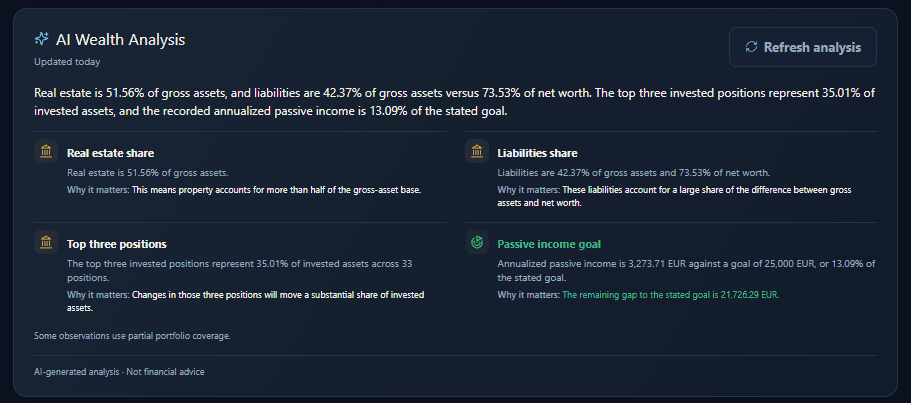
Security & Privacy
Your wealth. Your control.
Understand your entire financial picture without giving Veldran control over your investments.
Read-only access requested
Veldran requests read access through SnapTrade. It doesn't offer trading or withdrawal features.
No brokerage passwords collected
Connect through SnapTrade without giving Veldran your brokerage password.
Encrypted connection secrets
Stored brokerage connection secrets are encrypted before database storage.
Private by default
Public portfolio sharing is off by default. You decide whether to enable it.
Screenshot import sends your images to OpenAI for analysis. See our Privacy Policy for details on data handling and service providers.
One financial picture
Your wealth shouldn't live in eight different places.
Brokers, banks, savings, crypto and retirement accounts each tell only part of the story.
Everything you own, finally in one place.
Bring it together YOUR WEALTHVELDRANOne clear picture
InvestmentsStocks, ETFs, bonds & funds
Cash & savingsBank accounts, Livret A, LDDS
CryptoBTC, ETH & more
RetirementPEE, PER, 401(k)…
Real estateProperty & other assets
And moreCustom assets
Smart import
From screenshot to portfolio, with you in control.
See how AI helps turn a screenshot into positions you can check, correct and select before saving.
Import your portfolio01Drop a screenshot
02Detect positions
MMicrosoft
MMSCI World ETF
BBitcoin
03Review & import
Ready to import
Clarity at every level
More than a portfolio tracker.
Turn a scattered set of holdings into a useful view of allocation, performance and total wealth.
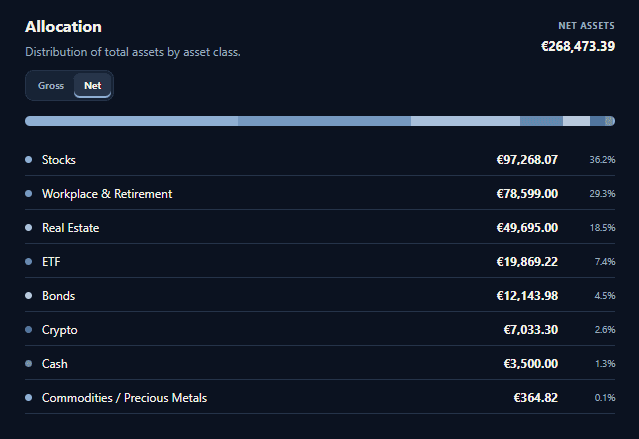
Understand your allocation
See how wealth is distributed across asset classes.
Know what's performing
Follow values and performance from one clear overview.
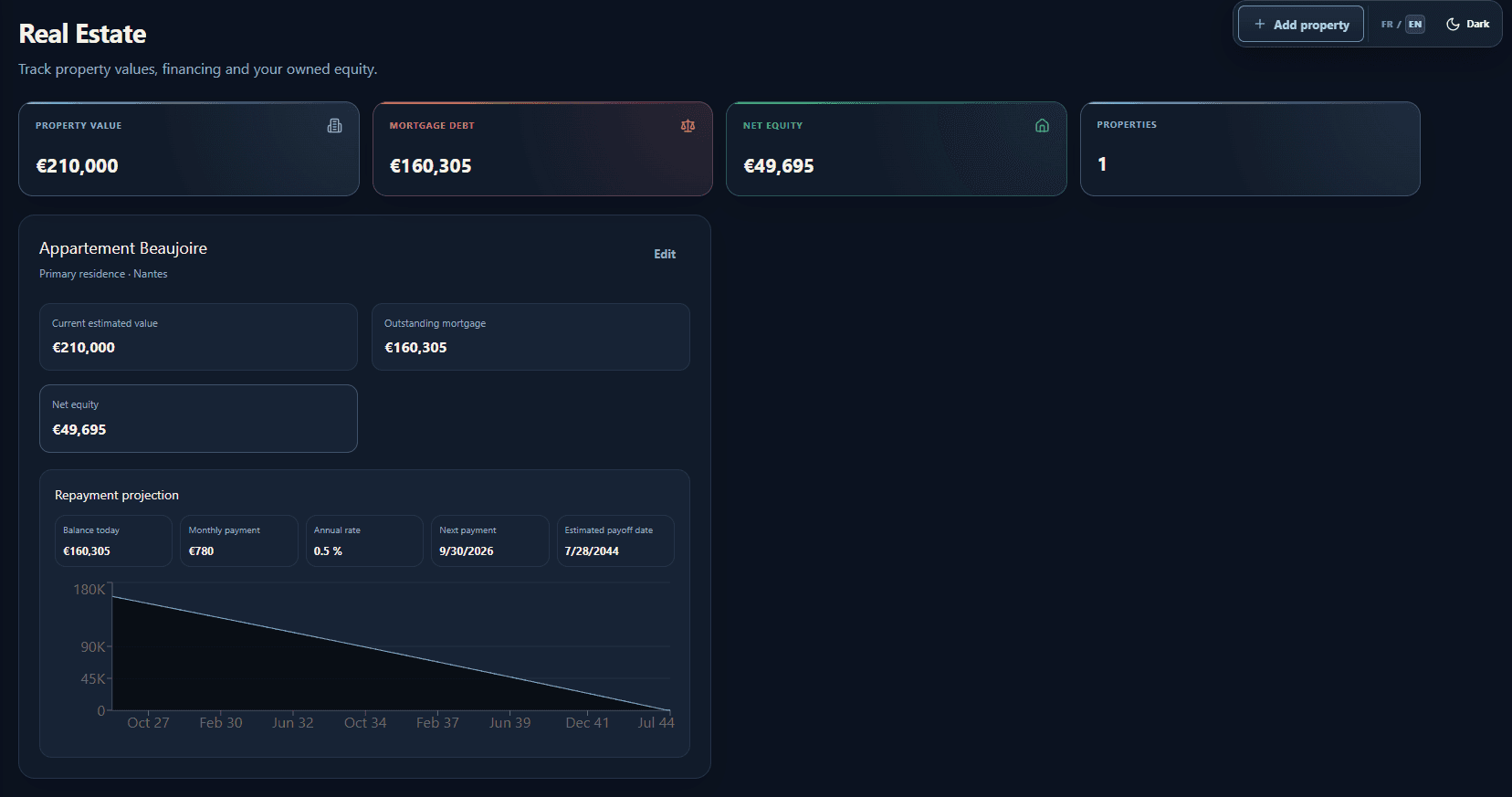
Track more than investments
Include cash, savings and property alongside market assets.
Wealth projection
Don't just track your wealth. See where it's going.
Model compound growth with your current wealth, planned monthly investing and an assumed annual return. Projection is available on Gold.
See your future wealth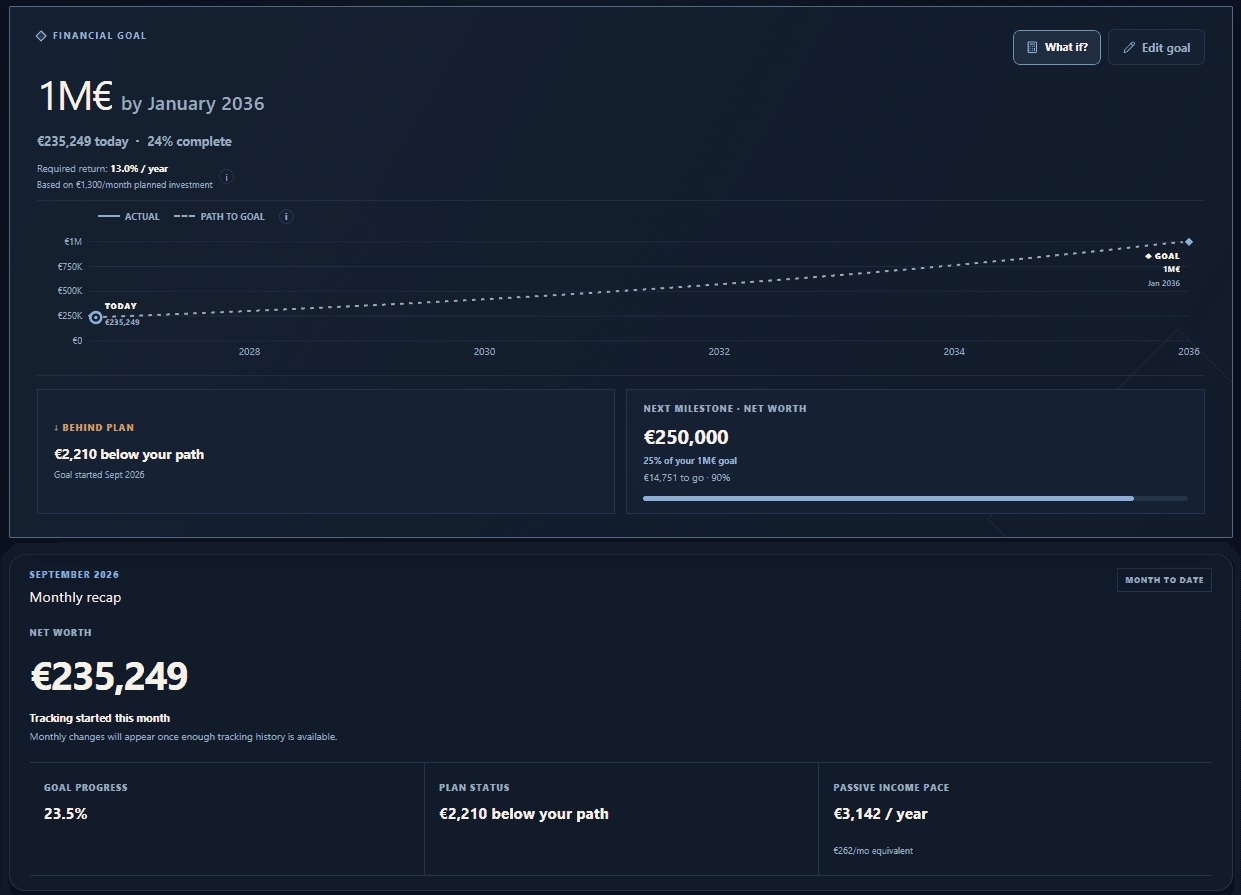
Portfolio incomeAnnual estimate
Estimate only — not received cash
Passive income
See the income your wealth is building.
Estimate recurring annual income across supported dividends, distributions and other configured income sources.
Track passive incomeProgress
Wealth is a journey. Make progress visible.
Veldran marks completed, current and upcoming milestones without losing sight of the long-term goal.
Plans
Start free. Upgrade when you need more.
Real plan prices and limits, with a seven-day trial for eligible new Silver and Gold subscribers.
Free
Track your wealth essentials.
$0.00
- Up to 3 accounts
- Up to 3 accounts and 25 positions
Silver
Analyze your wealth with advanced insights.
- Advanced analytics and income tracking
- 1 brokerage connection with automatic sync
- Up to 10 accounts and 50 positions
Gold
Plan and manage your complete financial life.
- Wealth projection and budgeting
- Unlimited brokerage connections
- Unlimited accounts and positions
Your entire financial picture. Starting at just $5.99/month.
Track, understand and take control of your wealth.How we handle your data: Privacy Policy
FAQ
Questions, answered.
Is Veldran free?
Yes. The Free plan supports up to three accounts and 25 positions. Paid plans add higher limits and advanced tools.
Which assets can I track?
Veldran supports investments, funds, crypto, cash, savings, property and other manually entered assets.
How do imports work if a position is not recognized?
For CSV imports, map your columns and review the positions. For PNG, JPEG or WebP screenshots, check the AI results before saving. If a match is missing or wrong, search for the asset, correct the details or skip the row. You can add a missed position manually.
Do I have to connect an account? Is my broker supported?
No connection is required: CSV, screenshots and manual entry are available. For brokerage sync, check the institutions available in the SnapTrade connection flow. Support varies by institution, and your plan must include brokerage connections with an available connection slot.
How are market prices updated?
On eligible plans, supported market prices are refreshed daily to update valuations. These are not real-time quotes. Brokerage synchronization is separate: it updates the holdings in a connected account, subject to your plan and the connection status.
Can I cancel my trial?
Eligible new Silver and Gold subscriptions include seven free days, then billing begins at the selected price. A payment method is required and you can cancel anytime.
Your wealth is already growing. Start seeing the whole picture.
Create your first portfolio and bring your financial picture together.
No brokerage connection required to get started.